How it works
One job, from the search result to the closed ticket.
Three stages, and the same car runs through all of them. Here is what your customer does at each one, what lands on your board, and the part you never have to chase. Every screen below is the real thing.
Step 01 · Find
They find you
A driver searching for the work they need sees the shops that take it. You are on that list because of what you ticked, not because of what you paid.
In Shop setup you tag the work you do. That list is what a driver is matched against, so the cars you get asked about are the ones you already handle. A transmission job never lands with a shop that only does brakes and tires.
They pick a day and a part of that day, morning, afternoon or evening, rather than a rigid slot. Those windows come off your hours, your advisor coverage and your busy limit, so a day you have already filled stops offering itself.
If the day still has room, the request confirms itself and lands on your board. If you would rather look first, switch confirming requests to your advisor and it waits for someone to accept. Either way whoever is on the schedule that date gets the text.
- You set up once. Services, hours, advisors, holidays and how busy is too busy.
- Nothing to answer. A request that fits the day books itself and texts the advisor on duty.
- The phone still works. Call-ins and walk-ins go on the same board with one button.
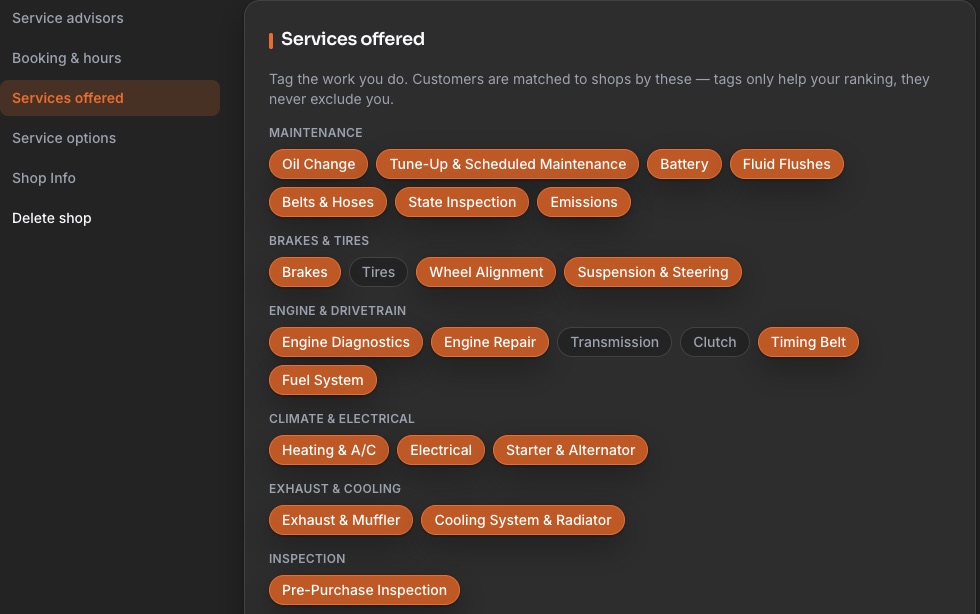
Tags raise your ranking for the work you actually do. They never exclude you from anything.
Step 02 · Approve
They approve the work
The estimate goes out as a link. They approve it line by line from wherever they are, and you know the second they are done.
Once the car is checked in, open the estimate and either photograph the tech's work order and let it read the lines off, or type them. Mark each one Critical, Optional or Mileage so the customer can see what is safety and what can wait until next time.
Send it and they get a link. No app to install, no account to make. They work down the list approving what they want, and anything they are unsure about goes back to you as Discuss with a note, rather than a flat no you have to phone about.
The moment they tap Done, that car's card on your board says Ready for review and the advisor gets a text. The approved total is what you build the ticket from, and it is already sitting in the customer's history.
- Two ways in. Photograph the printed work order, or type the lines yourself.
- Line by line. They can take the brakes now and leave the cabin filter for next time.
- Discuss, not decline. An unsure line comes back with a question attached instead of a no.
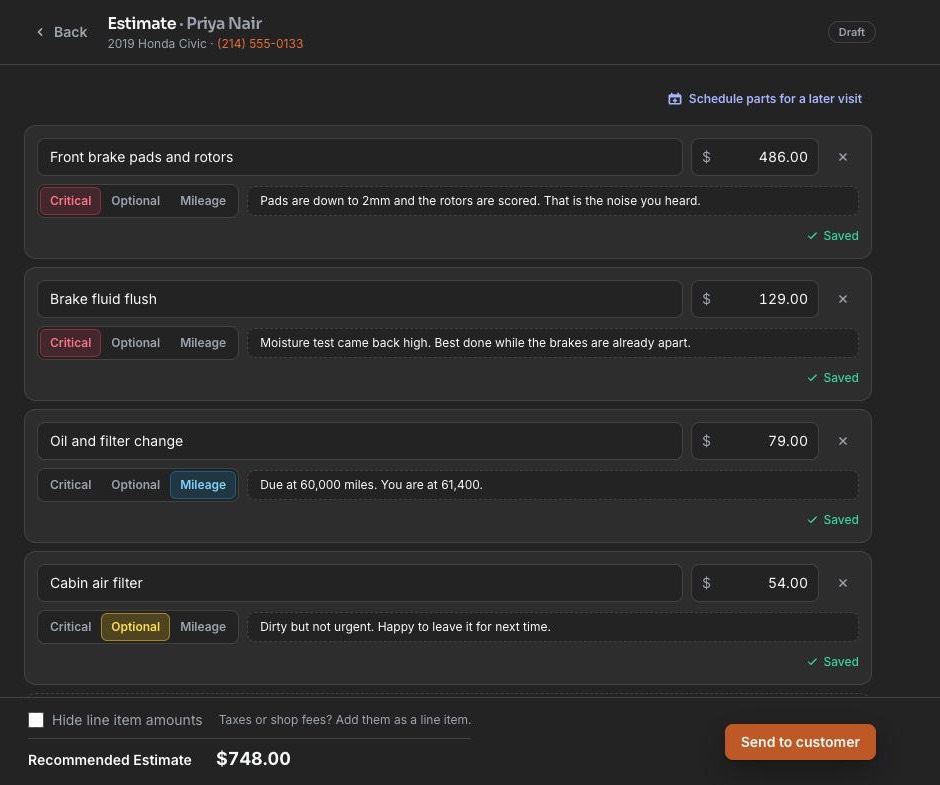
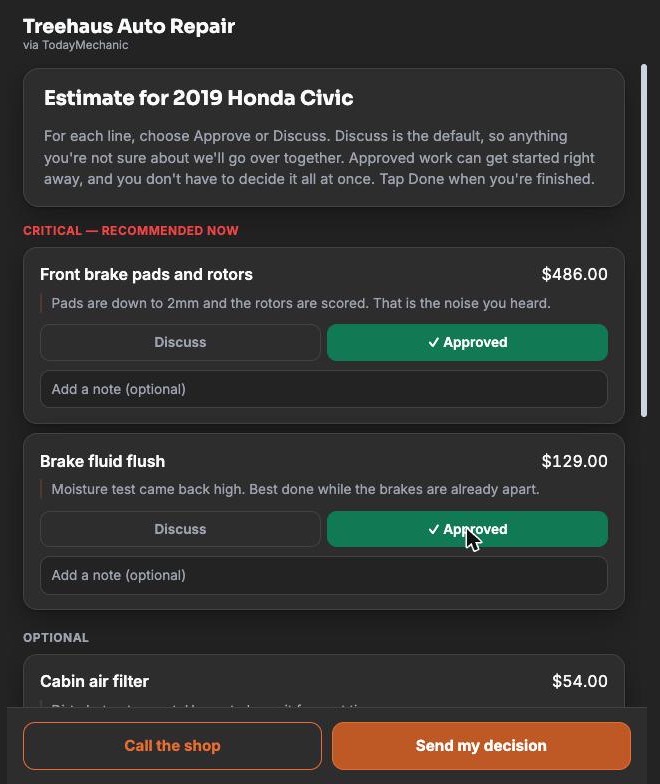
Sample figures from a demo shop. Every price on a real estimate is the one your shop typed or photographed.
Step 03 · Earn
The bay keeps earning
Three lanes, one tap between them. Nothing sits on a lift waiting for a callback, because nothing gets on the lift until it is approved.
The day reads left to right: coming in, in the shop, ready for pickup. Checking a car in, completing it and marking it picked up are one tap each, from the card, without opening anything.
Give a car a ready time and the chip counts toward it and flashes once it has passed, so an overdue job is visible from across the room rather than at five o'clock. Completing a car texts and emails the customer that it is ready, with your address on it.
The board is live. When your other advisor checks a car in, it appears on your screen without a refresh. When the day is done, every visit closes into Customers with the vehicle, the advisor and what was actually approved.
- Approved work only. A lift is never tied up by a job nobody has said yes to.
- Shared, live. Two advisors on two screens see the same board update as it happens.
- It keeps the history. Every visit lands in Customers with the car, the work and the approval.
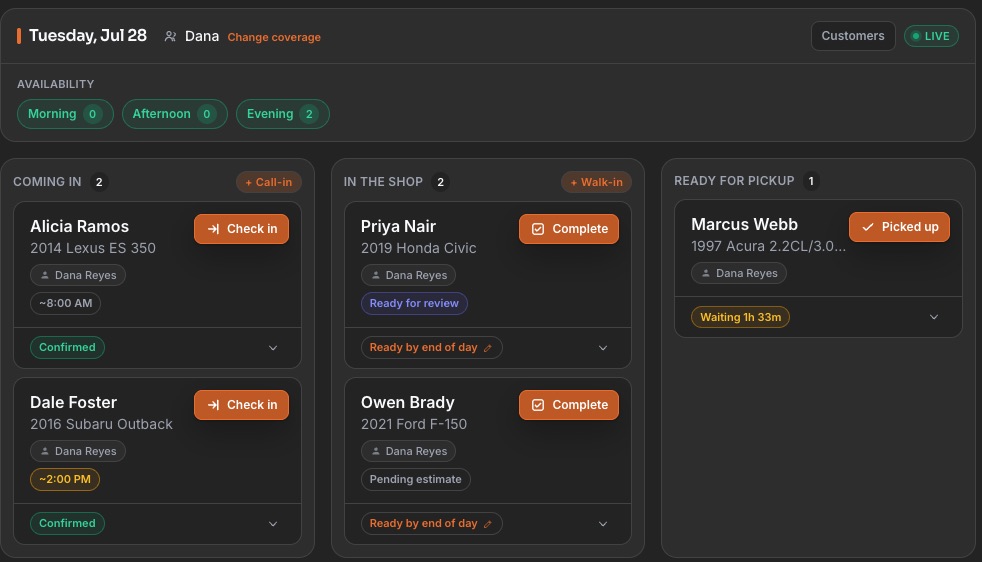
The Honda's Ready for review chip is the customer's decision from step 02, landing back on the board.
That is the whole loop.
Set the shop up once and it runs on its own: cars that match your work come in booked, estimates come back approved, and the board tells you what is next. Try it for 30 days with no card.